
Menu section serving hours
Menus+Serve a section only at set times, like salads at lunch. Outside those hours, guests at that branch still see it but can't order from it.
- Branches
- Your branch
- Menus
- Set Availability
Set serving hours
- In Branches, tap the branch, then Menus.
- Next to the section, tap Set Availability.
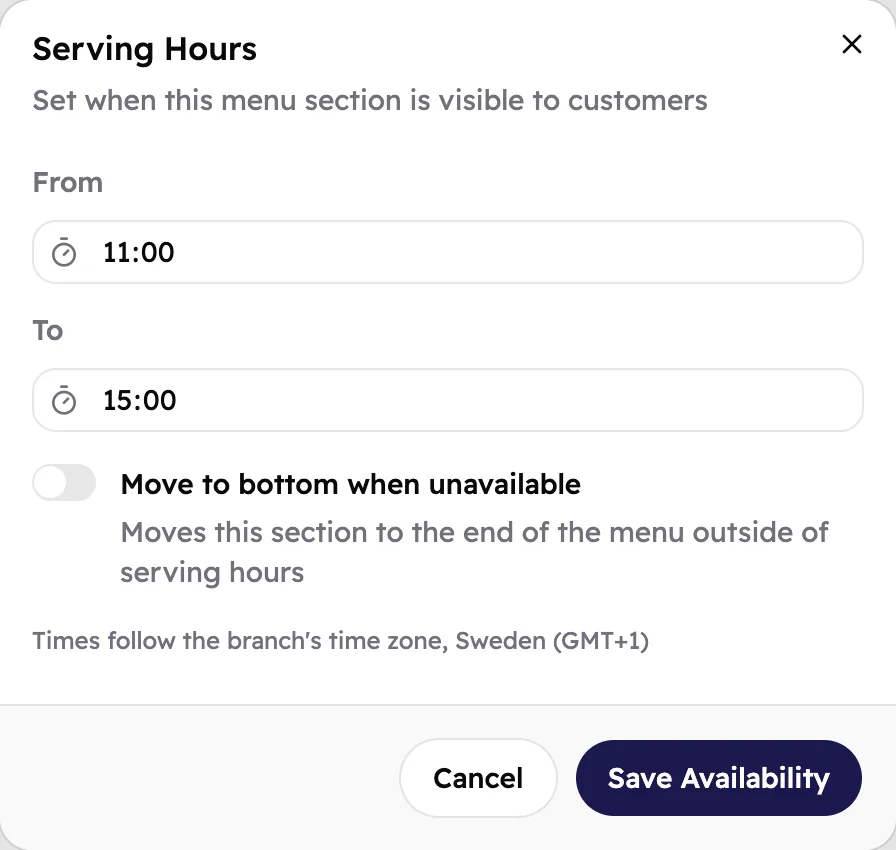
- In From and To, pick when the section starts and stops being served, like 11:00 to 15:00.
- Tap Save Availability.
 123
- When guests can order from the section.
- Turn on Move to bottom when unavailable to move the section to the end of your menu while it isn't served.
- The times are this branch's local time.
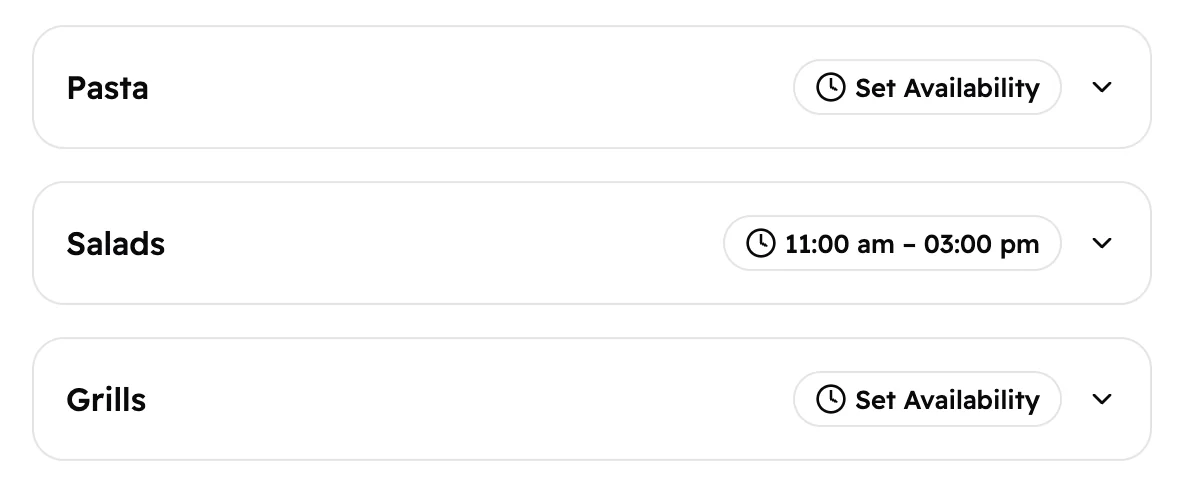
The button next to the section now shows its hours.
 12
- A section served all day.
- A section with serving hours. Tap the hours to change them.
What guests see
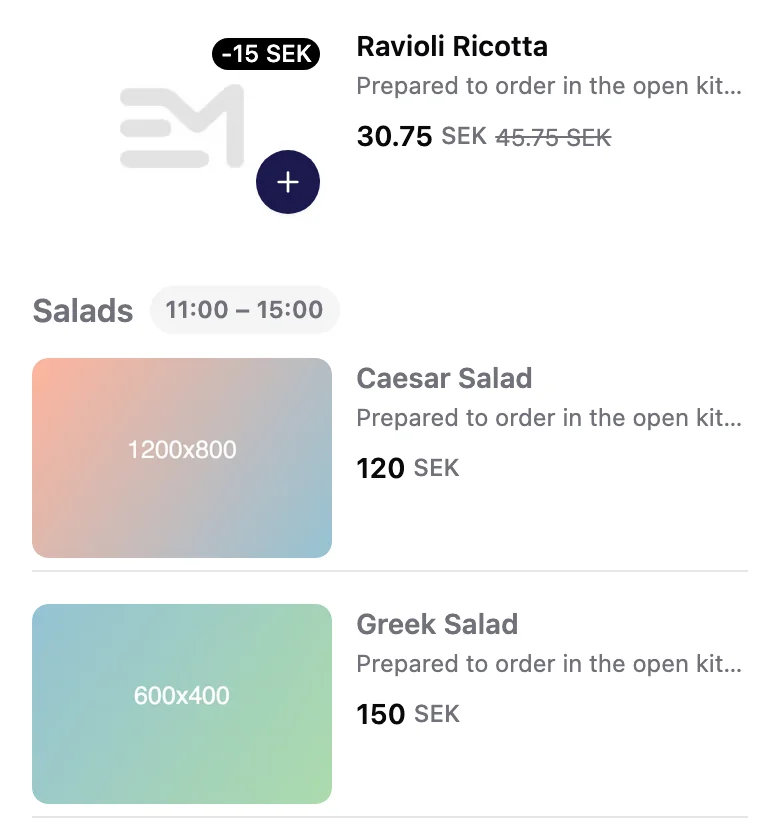
During serving hours, guests at this branch see the section's hours next to its name, and order as usual. Outside them, the section is greyed out with its hours, and guests can't add its items to their order. An item they open says Not served now.
 12
- The section's serving hours.
- Its items are greyed out, with no + button.
A guest who added an item before its section closed sees Not served now on it in their order summary, and removes it to go on.
Guests see your changes within about a minute. You don't need to publish again.
Change or remove serving hours
Tap the hours next to the section. Change the times and tap Save Availability, or tap Remove Schedule to serve the section all day again.