
Ads & Offers Banner
Menus LitePut a promotion at the top of your menu: a happy hour, a new dish or a weekend deal.
Where to find it:
- Design
- Ads & Offers Banner
Add a banner
- In Design, scroll down to Ads & Offers Banner.
- Drop a picture onto the box, or tap browse files.
- Frame it in the wide crop window and tap Apply. The banner is saved straight away.
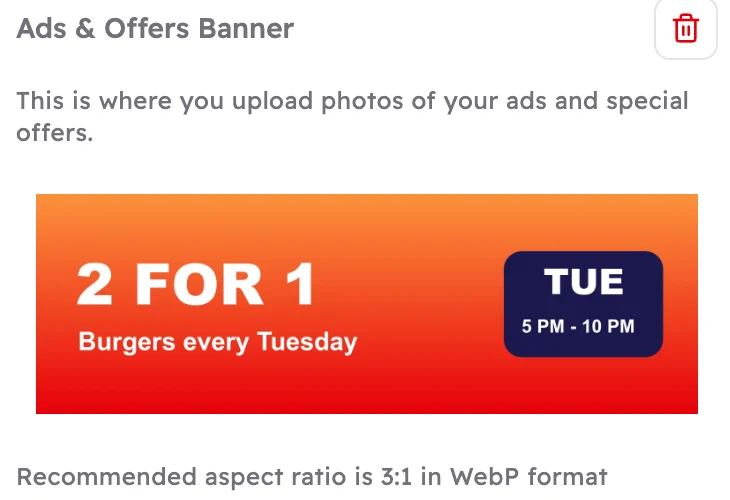 12
12- Your banner.
- The bin removes it.
What guests see
The banner sits at the top of your menu, just under the section tabs.
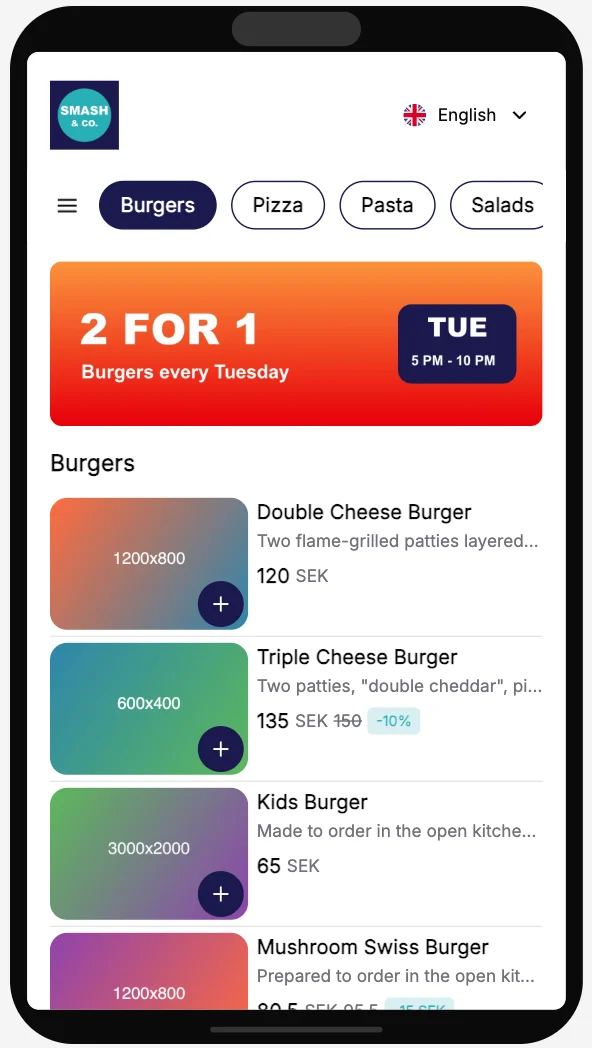 1
1- The banner, as guests see it.
Make a good banner
- Make it wide: 3 times as wide as it is tall, at least 1200 × 400 pixels.
- JPEG, PNG or WebP, up to 5 MB.
- Keep it to one message people can read in a second: "2 for 1 every Tuesday", "New: Truffle Fries".
- Keep text away from the edges, so nothing gets cut off on small phones.
Good to know
Guests see a new or removed banner after you publish again.
Running the offer on an item too? Add a discount so the item shows the new price. See Offers and discounts.