
Mark items out of stock
Menus+Ran out of a dish? Mark it out of stock at that branch, and guests there see it as sold out within a minute.
Where to find it:
- Branches
- Your branch
- Menus
Mark an item out of stock
- In Branches, tap the branch, then Menus.
- Find the item in its section, or type its name in the search box.
- Tap ⋯ next to it, then Mark as out of stock.
- Tap Mark as out of stock again to confirm.
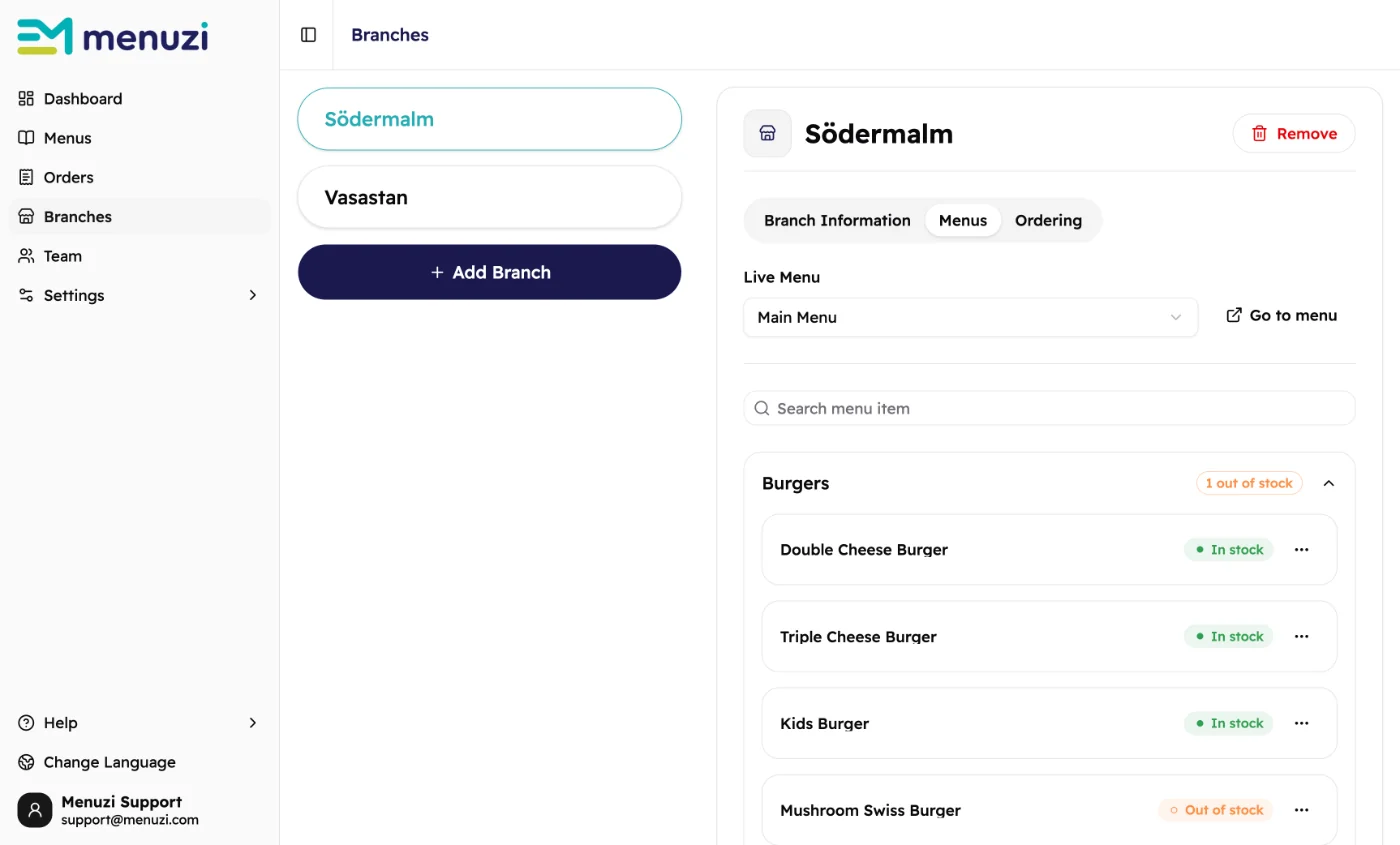 12345
12345- Menus lists the items of the menu this branch serves.
- Find an item by its name.
- How many items in the section are out of stock.
- Out of stock or In stock, for this branch only.
- Marks the item out of stock, or back in stock.
What guests see
Within about a minute, guests at this branch see Sold out on the item, and they can't add it to their order. Your other branches keep selling it. You don't need to publish again.
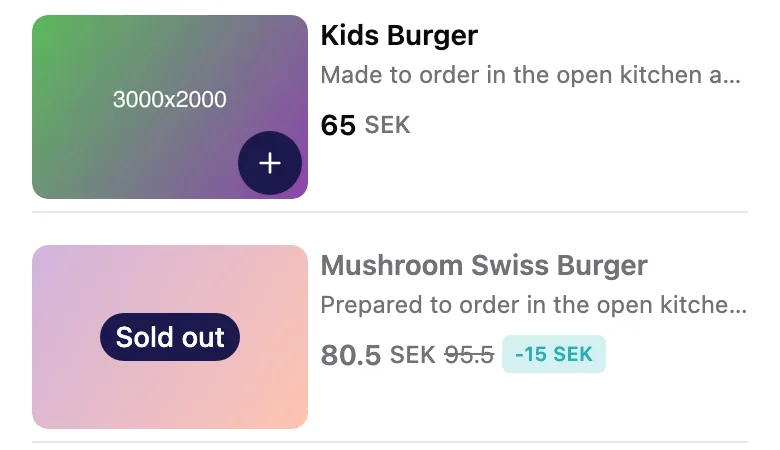
A guest who already had the item in their cart sees Some items are unavailable before they order, and removes it to go on.
Back in stock
Tap ⋯ next to the item, then Mark as in stock, and confirm. Guests can order it again within about a minute.
Good to know
Items stay out of stock until you mark them in stock again. Check the list when you open each
morning.
Off the menu for the season? Hide the item in Craft instead, so
guests don't see it at all.
Only the owner and admins can mark items out of stock. Everyone else sees a padlock. See Team.