
New Menus+
Item labels
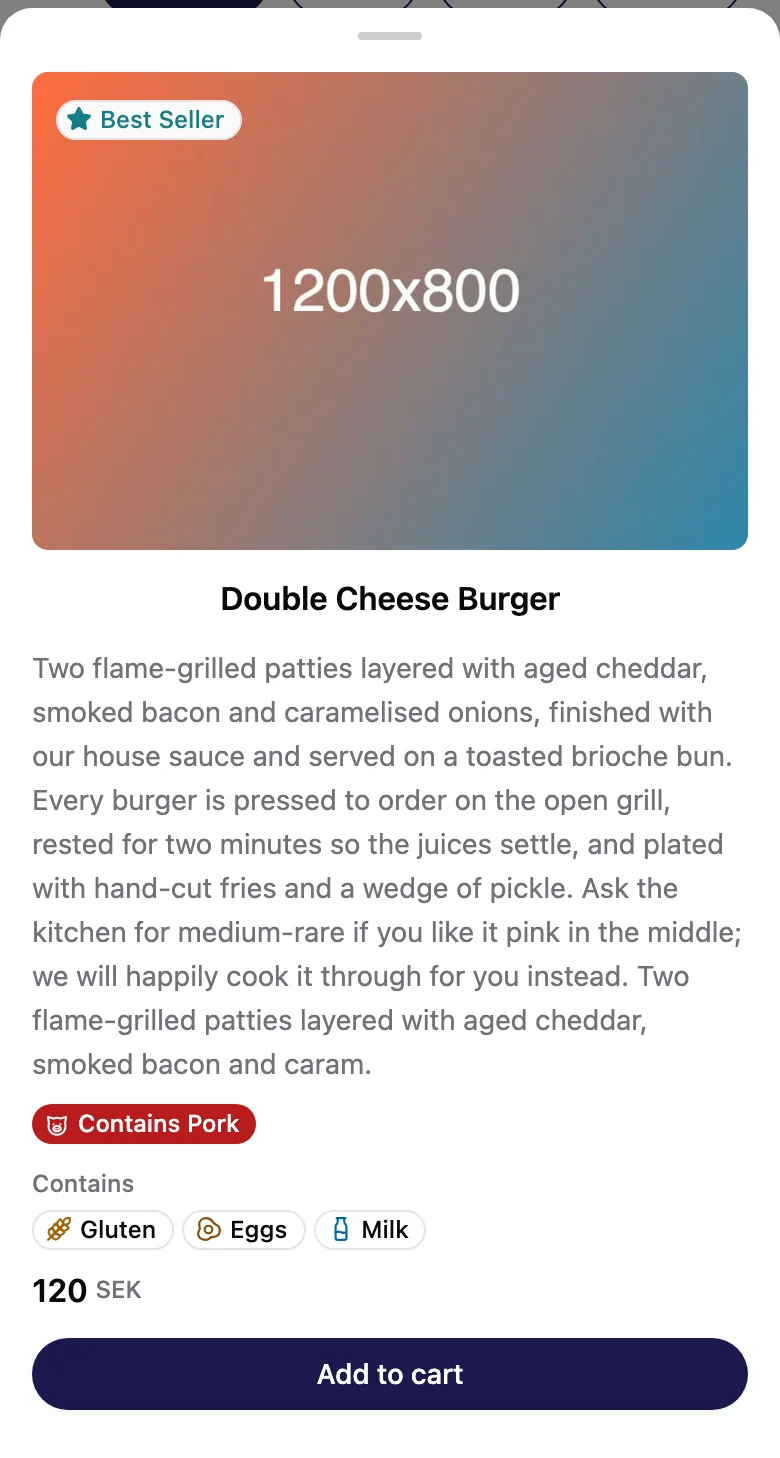
Mark a dish as halal, vegan or a best seller, and list its allergens. Guests see the labels on your menu, and every detail when they open the dish.
Where to find it: Craft › An item › Item labels
New features and improvements in Menuzi, newest first: what each one does, which plan has it, and where to find it in the app.
New Menus+
Mark a dish as halal, vegan or a best seller, and list its allergens. Guests see the labels on your menu, and every detail when they open the dish.
Where to find it: Craft › An item › Item labels
New Menus+
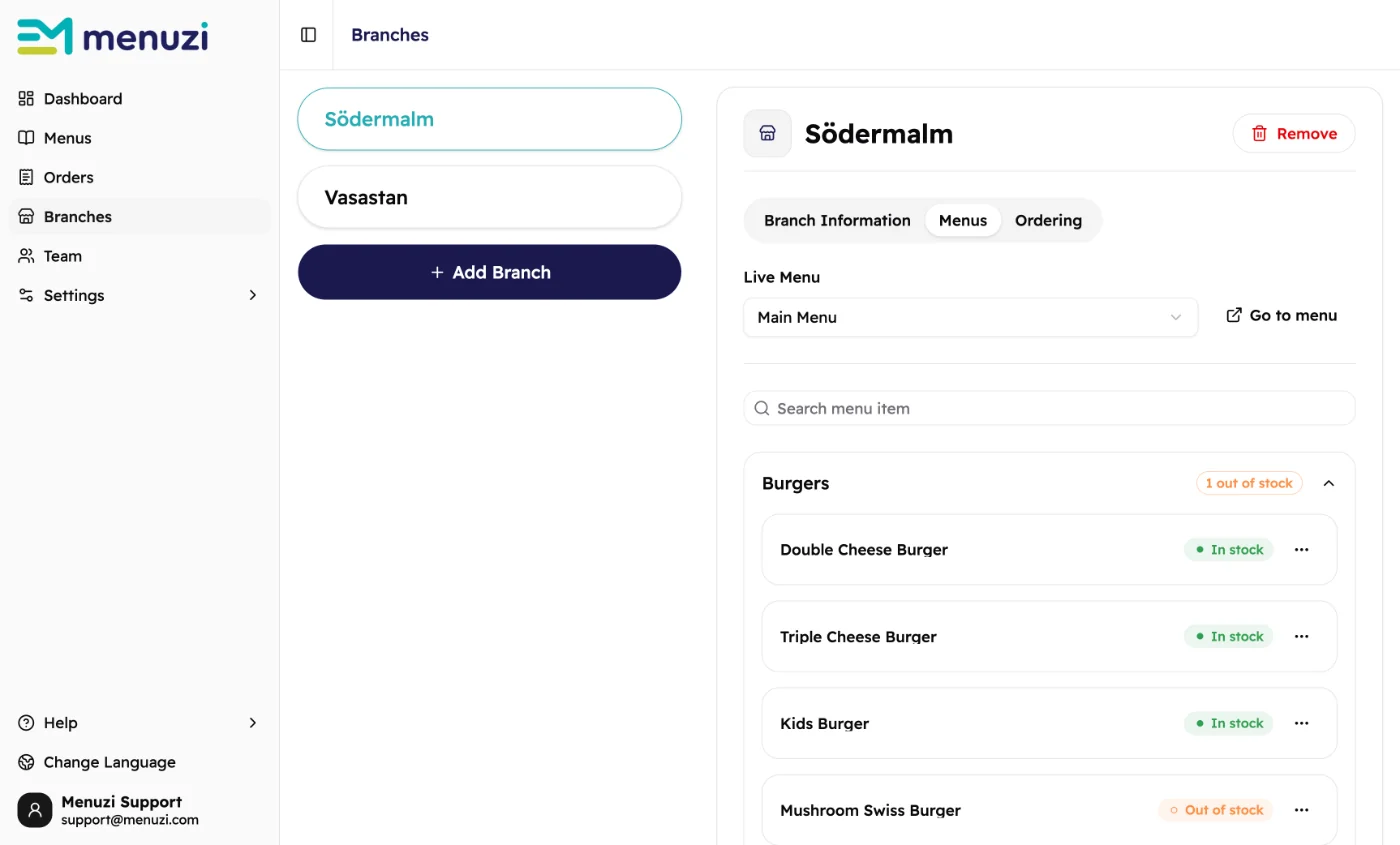
Ran out of a dish? Mark it out of stock at that branch. Within a minute, guests there see it as sold out and can't order it. You don't need to publish again.
Where to find it: Branches › Your branch › Menus
New Orders+
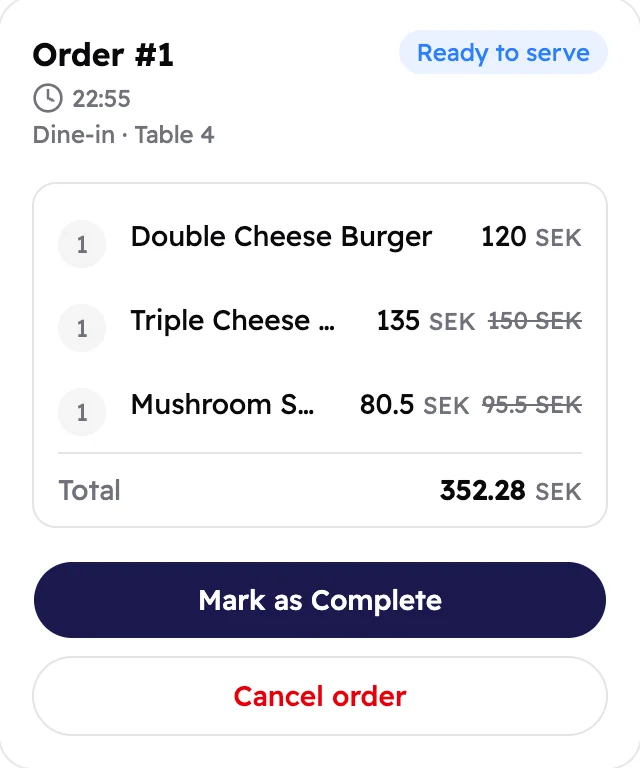
A new step between Preparing and Completed. The kitchen taps Ready to serve, so your waiters and counter know the food can go out.
Where to find it: Orders › An order
New
Tap Help in the sidebar to open the User Guide for the page you're on, or to send our support team a message.
Read the User GuideNew Menus Lite
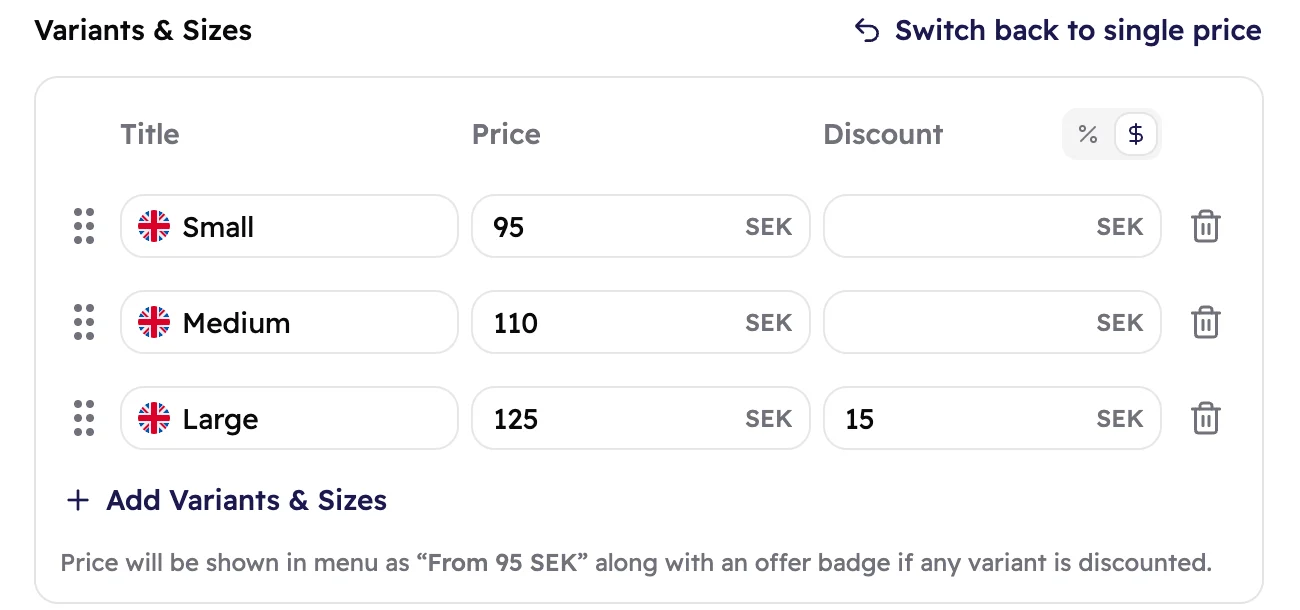
Sell one dish or drink in different sizes or styles, like Small, Medium and Large, each with its own price and discount. Guests see the item from its lowest price.
Where to find it: Craft › An item › Add Variants & Sizes
New Menus Lite
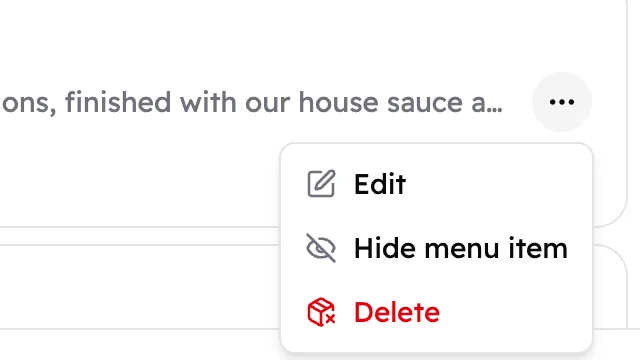
Out of season or sold out? Hide a section or an item instead of deleting it: guests stop seeing it after you publish, and you can bring it back any time.
Where to find it: Craft › ⋯ › Hide menu item
New Orders+
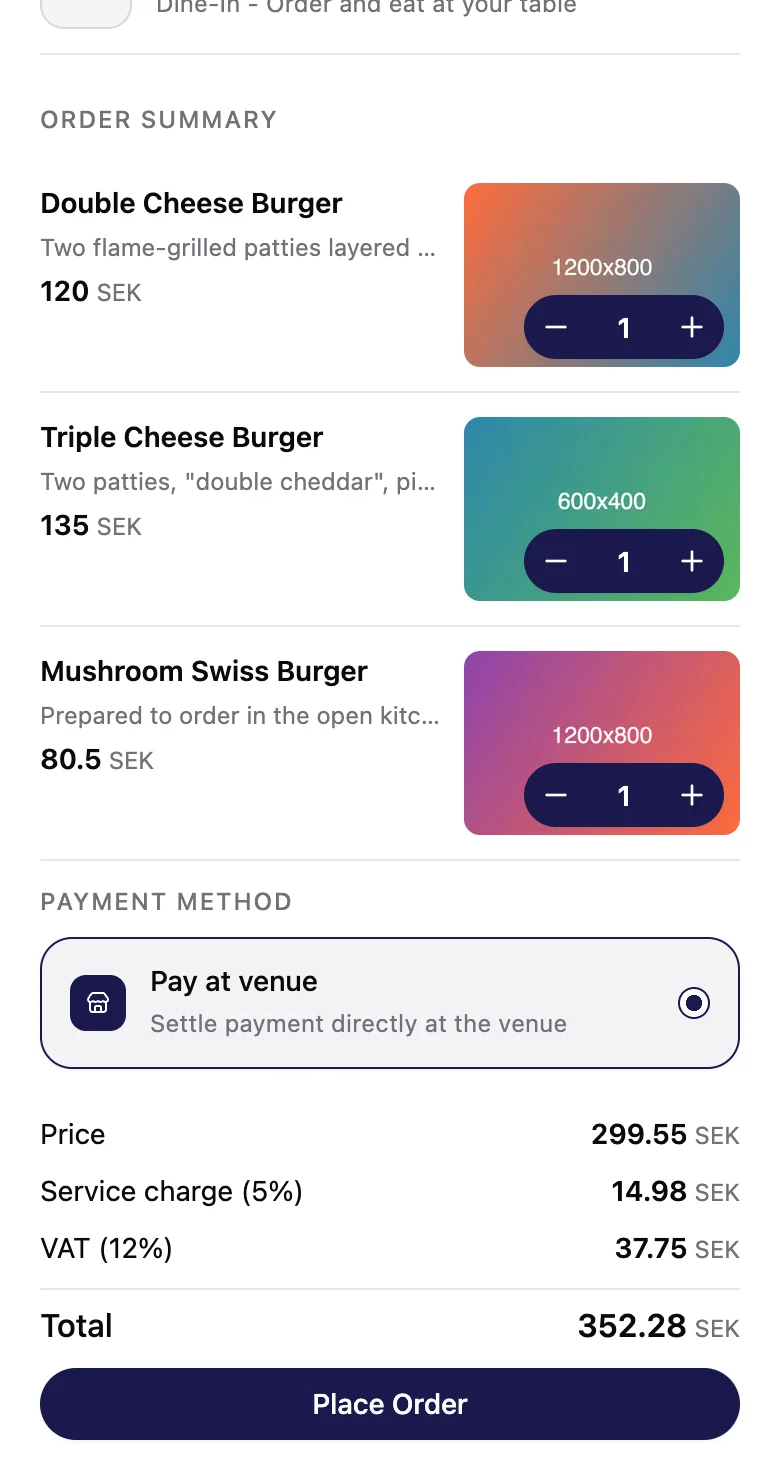
The order summary now tells guests how they'll pay before they tap Place Order: they pay you at your place.
New Menus Lite
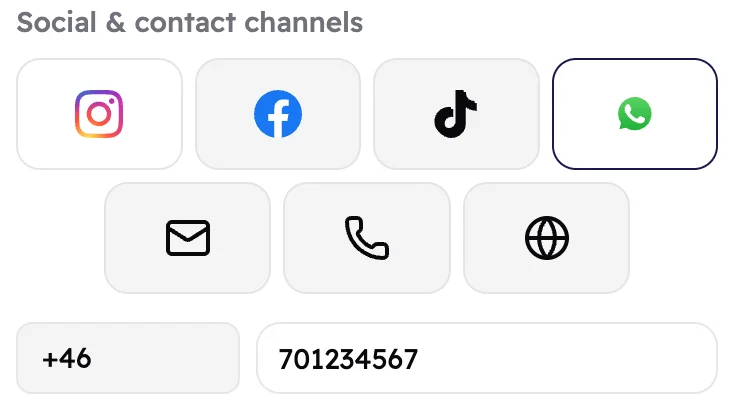
Next to your social media, your menu can now show your email, phone number and website, so guests can reach you in one tap.
Where to find it: Design › Social & contact channels
Improved Menus Lite
When you add or change an item, tabs at the top switch between your menu's languages. An orange note shows what's still missing.
Where to find it: Craft › An item
Read the User Guide