
SEO
Menus LiteChoose how your menu looks when someone shares its link, and how it shows up on Google.
Where to find it:
- Menus
- Your menu
- SEO
Two first impressions
People often meet your menu before they open it:
- as a link someone shares on WhatsApp, Facebook or X, with a picture and a few words;
- as a result on Google or another search engine when someone looks for a place to eat.
This step lets you choose the picture and the words for both, in each of your menu's languages.
Your link preview
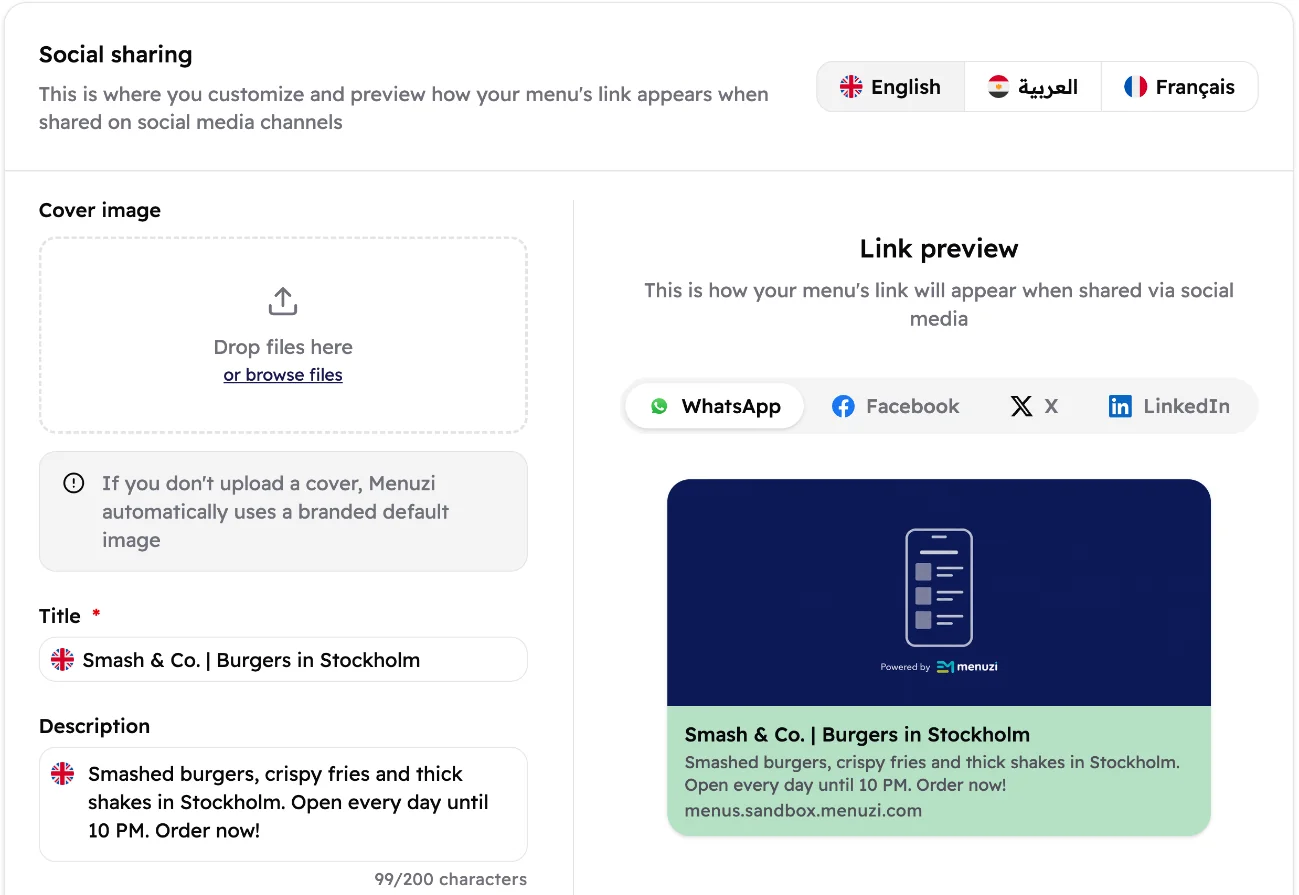 123456
- One tab per menu language. The title, the description and the preview follow the tab you pick.
- Cover image: a wide picture, at least 600 × 315 pixels. Skip it and Menuzi uses a branded picture.
- Title: up to 60 characters.
- Description: up to 200 characters. End with an invitation, like "Order now!"
- See how the link looks on WhatsApp, Facebook, X and LinkedIn.
- The preview updates as you type.
When you're happy, tap Save changes at the bottom of the card.
Your Google listing
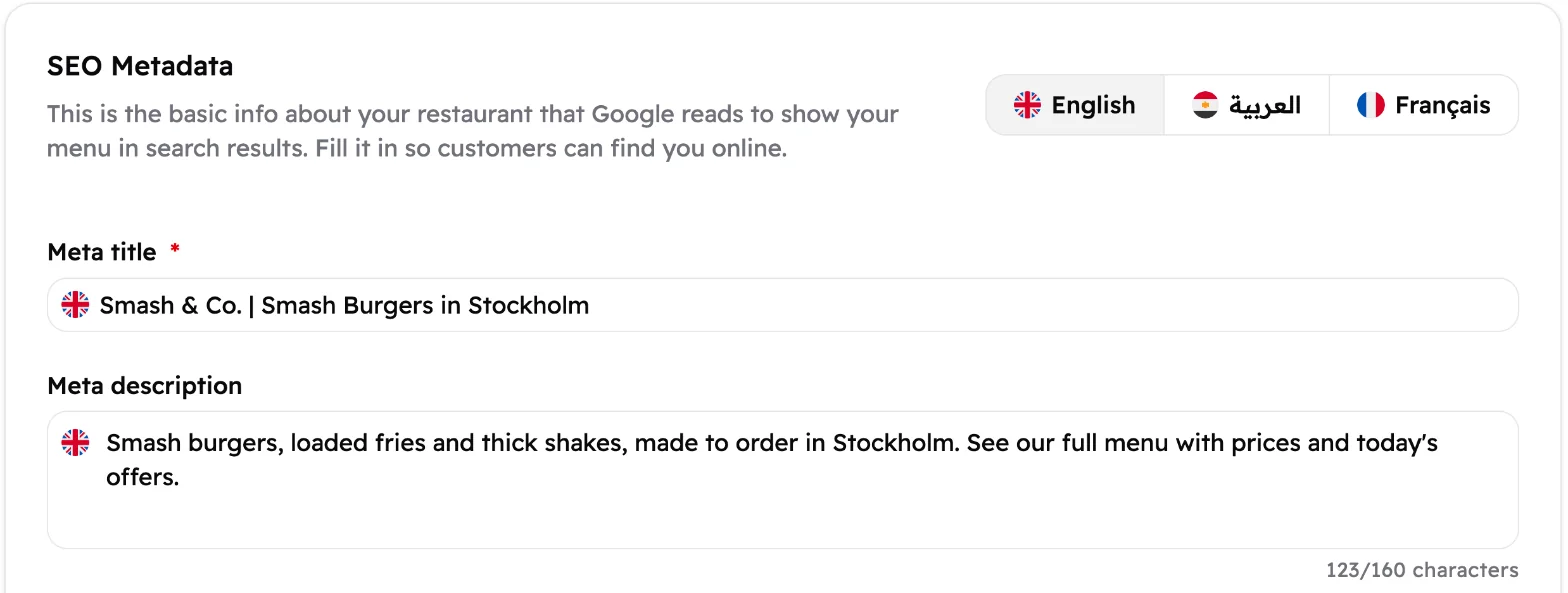 123
123- One tab per menu language. Fill in both boxes in each one.
- Meta title: the blue headline on Google. Up to 60 characters. Say what you are and where, like "Smash & Co. | Smash Burgers in Stockholm".
- Meta description: the text under it. Up to 160 characters.
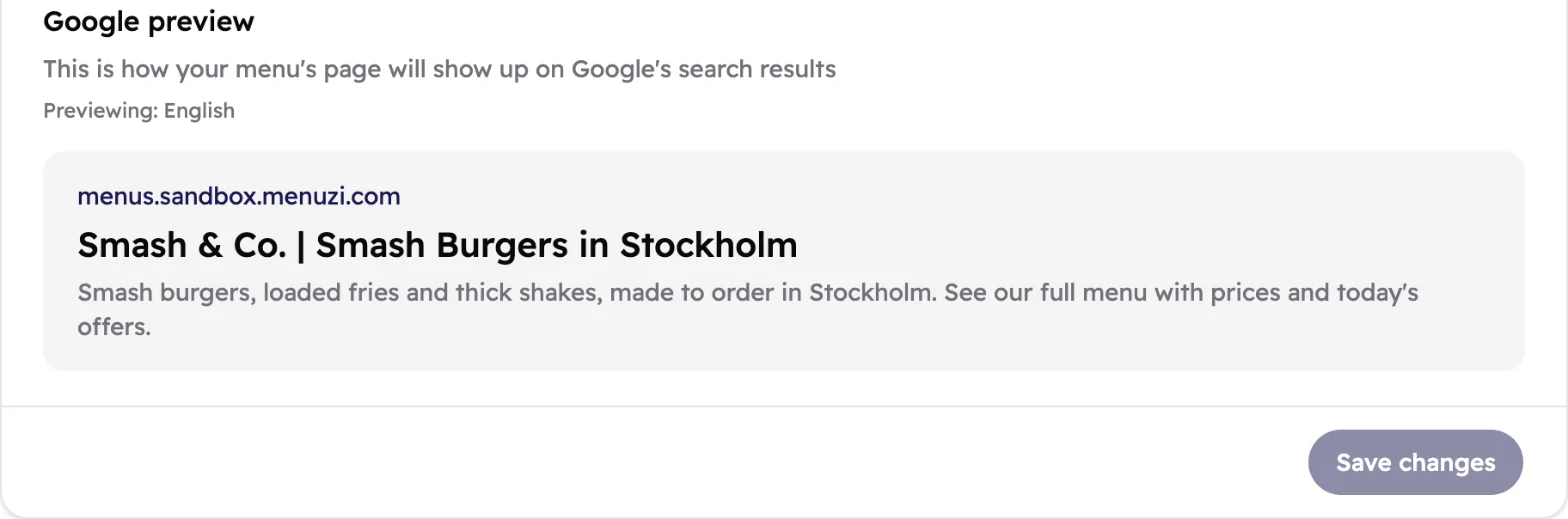 12
12- How your menu will look in Google's results.
- Save changes saves this card. It's greyed out until you change something.
Good to know
Each card has its own Save changes button. Save both before you move
on.
Your new link preview and Google listing go live when you publish again.
Without Menus Lite, the page is locked, and your menu still goes live with a standard link preview
and Google listing.
Google takes its time. A new or changed listing can take days to show up in search results. Publish first, then share your link so people start finding it.