
Sizes and variants
Menus LiteSell one dish or drink in different sizes or styles, each with its own price: Small, Medium and Large, or Hot and Iced.
Where to find it:
- Craft
- An item
- Add Another Variant
Add sizes to an item
- In Craft, tap the item, or tap Add Item for a new one.
- Under the price, tap Add Another Variant.
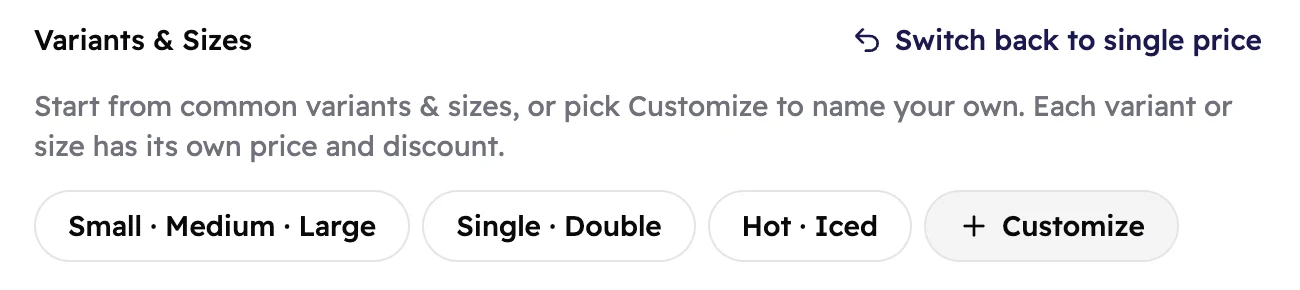
- Pick a ready-made set, or tap Customize to name your own.
- Give each size its price. Add a discount to any of them if you like.
- Tap Create, or Submit if you're changing an item.
 123
123- Ready-made sets: Small · Medium · Large, Single · Double and Hot · Iced.
- Customize starts two empty rows you name yourself.
- Switch back to single price if you change your mind.
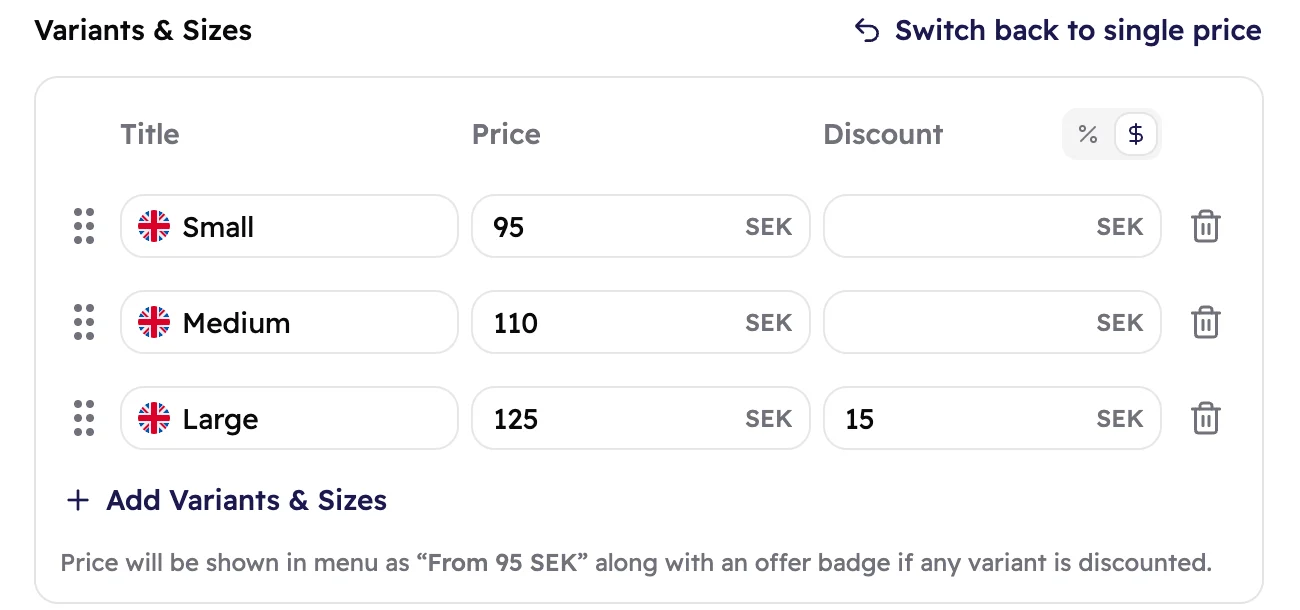 123456
- The size's name, as guests will see it.
- Its own price.
- An optional discount for just this size.
- Choose whether discounts are a percentage (%) or an amount. One choice covers all sizes of the item.
- Add Another Variant adds another row.
- A reminder of the price guests will see on the menu.
Drag a row by its dots to change the order, or tap the bin to remove it. An item can have up to 20 sizes.
What guests see
On the menu, the item shows its lowest price as From 95 SEK. If any size has a discount, it also gets an Offer badge. Guests see every size and its price when they open the item.
On the menu
Double Smash Burger From 95 SEK Offer
When a guest opens it
- Small 95 SEK
- Medium 110 SEK
- Large 110 SEK 125 SEK
You see the same summary on the item in Craft:
 12
12- The lowest price of all sizes.
- Shown when at least one size has a discount.
Good to know
Ready-made sets come with English and Arabic names. For your other menu languages, type the names
in yourself. A missing name shows in a language you did fill in.
Delete rows until only one is left and the item goes back to a single price. You can also tap Switch back to single price.
Guests see new sizes and prices after you publish again.